How to Choose the Right IP Phones for a Modern Office in 2026
Choosing IP phones for a busy office feels simple until you compare a dozen models side by side. Suddenly you face codecs, PoE budgets, line keys, and headset ports. The good news is that picking the right desk phone comes down to a handful of practical decisions. This guide walks through those decisions so your team gets clear audio, fewer dropped calls, and a system that scales.
We have deployed VoIP hardware across reception desks, call centers, and shared warehouse spaces. Along the way, patterns emerged. The teams that plan for headsets, network power, and provisioning early avoid the most painful mistakes. The teams that buy on price alone usually replace their phones within a year.
Why IP Phones Still Matter for Business Telephony
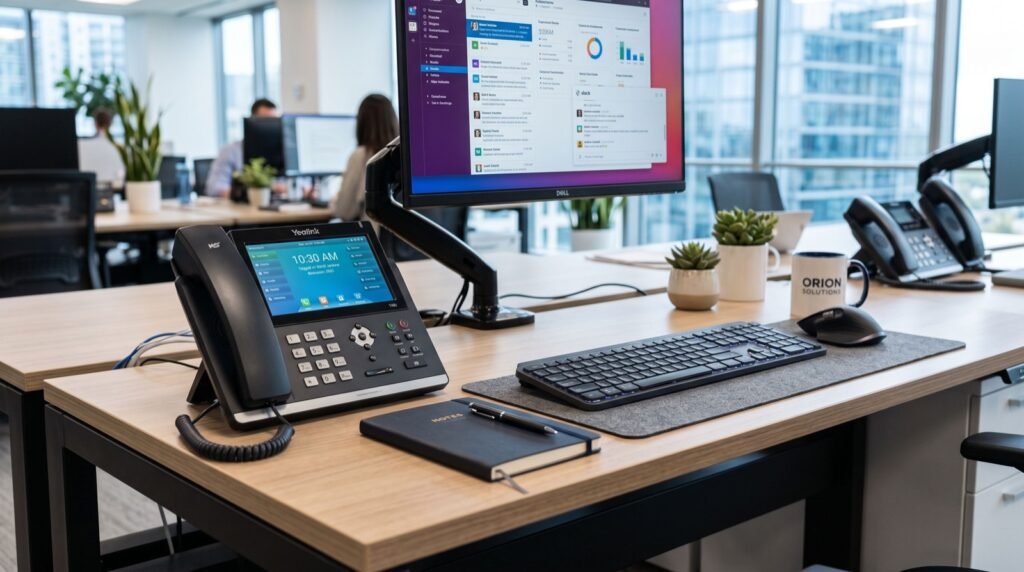
Software softphones are everywhere, yet dedicated IP phones remain the backbone of reliable business communication. A physical handset gives receptionists, support agents, and executives instant call control without hunting through a laptop screen. It also survives the moment a computer crashes mid-call.
An IP phone connects to your phone system over the same network that carries your data. It converts your voice into digital packets using the SIP protocol, then sends them across your LAN or the internet. Because the hardware is purpose-built, echo cancellation and voice clarity usually beat a random USB headset plugged into a browser tab.
For offices in Pakistan sourcing dependable hardware, a trusted supplier of Fanvil IP Phones in Rawalpindi can shorten the whole buying process. A knowledgeable vendor helps match handsets to your PBX and confirms firmware compatibility before you commit.
Match the Phone to the Role, Not the Whole Office
One common mistake is buying a single model for everyone. A receptionist who juggles twenty calls an hour needs very different hardware than an accountant who takes three calls a day. Segment your users first.
- Reception and front desk: many line keys, a large display, and expansion module support for busy-lamp fields.
- Executives: Gigabit Ethernet, Bluetooth, and premium audio for long conference calls.
- General staff: entry-level or mid-range phones with two to four SIP lines.
- Common areas and lobbies: compact or single-line handsets that are simple to clean and hard to break.
For low-traffic spots like a break room or a spare meeting corner, a compact model such as the Fanvil H2U covers the essentials without wasting budget on features nobody will touch. Reserve the feature-rich units for the people who live on the phone all day.
What specs actually change day-to-day use?
Marketing sheets list dozens of features, but only a few affect the daily experience. Focus on these: the number of SIP accounts, Power over Ethernet support, a built-in Gigabit switch port, HD voice codecs, and a dedicated headset (RJ9 or USB) port. Get those right and the rest is polish.
Compare Key Features Before You Buy
Use a simple table to keep vendors honest. Below is the framework we hand to clients when they evaluate desk phones. Fill in the actual model numbers you are considering and the differences become obvious fast.
| Feature | Entry-Level | Mid-Range | Executive |
|---|---|---|---|
| SIP accounts | 1–2 | 2–4 | 6+ |
| Ethernet speed | 10/100 | Gigabit | Gigabit + PoE |
| Display | Monochrome | Color LCD | Large color, adjustable |
| Headset port | Optional | RJ9 | RJ9 + USB + Bluetooth |
| Best fit | Lobby, warehouse | General staff | Reception, execs |
Plan Your Network Before the Phones Arrive
Great handsets on a weak network still sound terrible. Voice packets are unforgiving; they need to arrive on time and in order. Prioritize your network work so every call sounds professional.
- Enable QoS. Tag voice traffic so it jumps ahead of file downloads and video streams.
- Budget your PoE. Confirm your switch can power every phone at once, with headroom to spare.
- Use a voice VLAN. Separate phones from computers to reduce congestion and simplify troubleshooting.
- Check your internet uplink. Each concurrent call needs roughly 85–100 kbps in each direction with the common G.711 codec.
The SIP protocol that powers these phones is defined in the open standard RFC 3261, published by the IETF. Sticking with standards-based hardware means your phones will work across most modern PBX platforms rather than locking you into one vendor forever.
Provisioning: The Step Most Buyers Forget
Unboxing fifty phones and typing settings into each one by hand is a nightmare. Auto-provisioning solves this. You configure a template once, host it on a provisioning server, and each phone pulls its own settings on first boot.
Ask your supplier whether the models you want support redirection and profile provisioning. When you work with an experienced local team for setup, provisioning becomes a background task rather than a week of manual data entry. That single decision often saves the most labor across a rollout.
How many phones can one office deploy at once?
With auto-provisioning and adequate PoE, there is no hard limit tied to the phones themselves. The real ceilings are your switch capacity, your PBX license count, and your internet bandwidth for concurrent calls. Plan those three numbers and you can scale from ten desks to several hundred.
Frequently Asked Questions
What is the difference between an IP phone and a regular phone?
A regular analog phone sends voice over dedicated copper lines. An IP phone converts voice into digital packets and sends them over your data network using SIP. This lets you add lines, extensions, and features through software instead of new wiring.
Do I need special cabling for IP phones?
No. Standard Ethernet cabling works, and most modern IP phones draw power over that same cable through Power over Ethernet. This removes the need for a separate power adapter at every desk, which cleans up the workspace.
Can IP phones work with any PBX?
Standards-based SIP phones work with most cloud and on-premises PBX platforms. Always confirm the specific firmware and provisioning method with your supplier, since a few proprietary systems still require matching hardware.
How long do business IP phones last?
Quality desk phones typically last five to seven years in daily use. Firmware updates extend their useful life by adding security patches and occasional features, so choose a brand with an active update track record in 2026.
Final Thoughts and Next Steps
The right IP phones make your office sound professional, scale with your growth, and cut down on daily friction. Segment users by role, match specs to real needs, prepare your network, and insist on auto-provisioning. Do those four things and your deployment will run smoothly.
Start by listing your desks, grouping them by call volume, and mapping each group to a phone tier. Then talk to a supplier who understands both the hardware and your PBX. A short planning conversation now saves a costly re-buy later, and it gets your whole team on clear, reliable calls from day one.